AI Image Generator for iPhone
Type a description and generate up to four images at once with models like GPT Image 2, Nano Banana Pro, Flux 2, and Z Image.
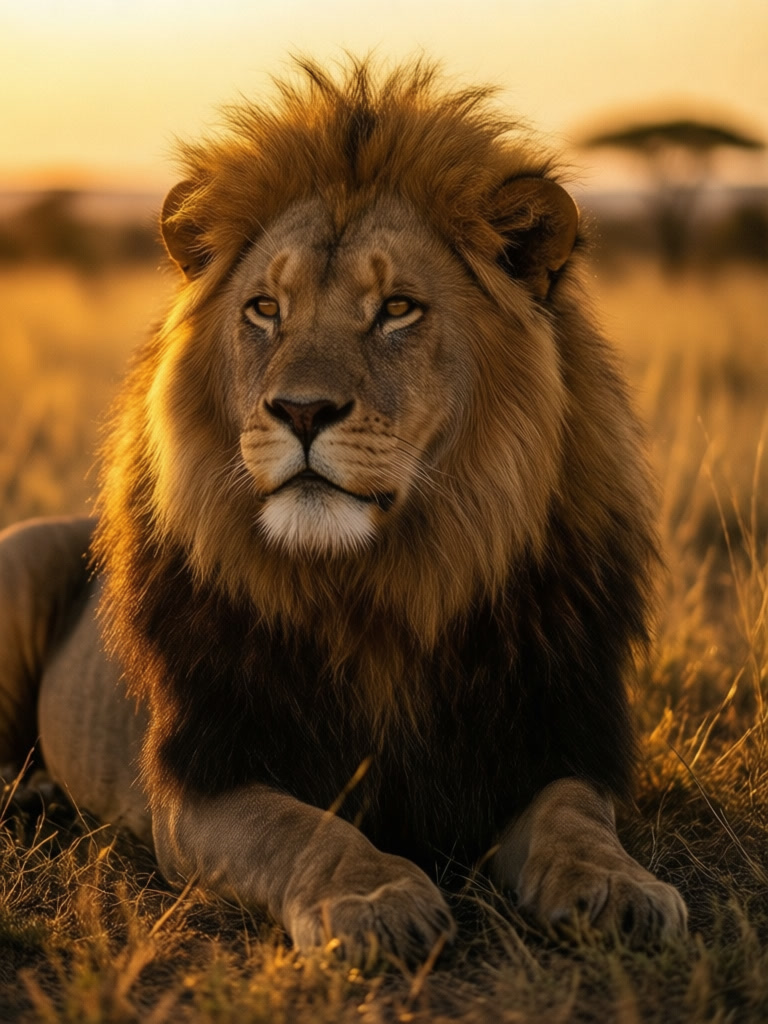
Prompt
“A majestic lion resting in a golden savanna at sunset, cinematic lighting, detailed fur texture”
ABOUT
Bring your imagination to life with our powerful text-to-image AI. Simply describe what you want to see, and our AI will generate stunning, high-quality images in seconds. Whether you need artwork, illustrations, concept designs, or creative visuals, our cutting-edge image generation models deliver impressive results. Experiment with different styles, subjects, and compositions to create exactly what you envision. Perfect for iPhone users who want to create stunning visuals on the go.
In short
GenLive generates images from text on iPhone. Write a prompt, choose a model (GPT Image 2 for readable text, Z Image Turbo for speed, Flux 2 or Seedream for artistic looks), generate up to four results, and save or animate your favorite.
How to generate an image from text
1
Write the prompt
Describe the subject, setting, style, and lighting. "A corgi astronaut on the moon, soft studio light, 3D render" gives the model more to work with than "a dog in space".
2
Pick a model and count
Choose the image model that fits the look you want and generate up to four variations from a single prompt.
3
Save, edit, or animate
Save the best image to Photos, refine it with an AI edit, or bring it to life as a video or Live Photo.
What people create with text to image
Wallpapers and art
Generate phone wallpapers, posters, and illustrations in any style, then animate them as a Live Photo wallpaper.
Social posts and thumbnails
Create eye-catching visuals for posts, stories, and video thumbnails, including images with short readable text.
Concepts and mood boards
Sketch out ideas for characters, outfits, rooms, or products before you shoot or design anything.
Why generate images in GenLive
Seven image models, one prompt box
GPT Image 2, Nano Banana Pro, Flux 2, Seedream, Qwen Image, Grok Imagine, and Z Image are all available in the same app.
Up to four results per prompt
See several takes on the same idea side by side and pick the one that works, instead of rerunning one image at a time.
From image to motion
Any generated image can be turned into a video or Live Photo with GenLive's video models.
AI image generator FAQ
Generate your first AI image on iPhone
Write a prompt, choose from seven image models, and get up to four results in GenLive.
Related use cases
- Animated GreetingsCreate personalized animated messages for friends and family
- Social Media ContentStand out with engaging videos for Instagram, TikTok, and more
- Creative Art ProjectsGenerate unique visuals for your creative endeavors
- Profile PicturesCreate unique animated profile pictures for social media
- Retro Anime AnimationTurn your art into 80s and 90s style hand-drawn anime motion
- Animated Pet PortraitsGive a favorite pet photo a blink, an ear twitch, and a little personality.