AI Photo to Video App for iPhone
Animate a still image into a short AI video clip on iPhone with prompt-based motion and share-ready results.
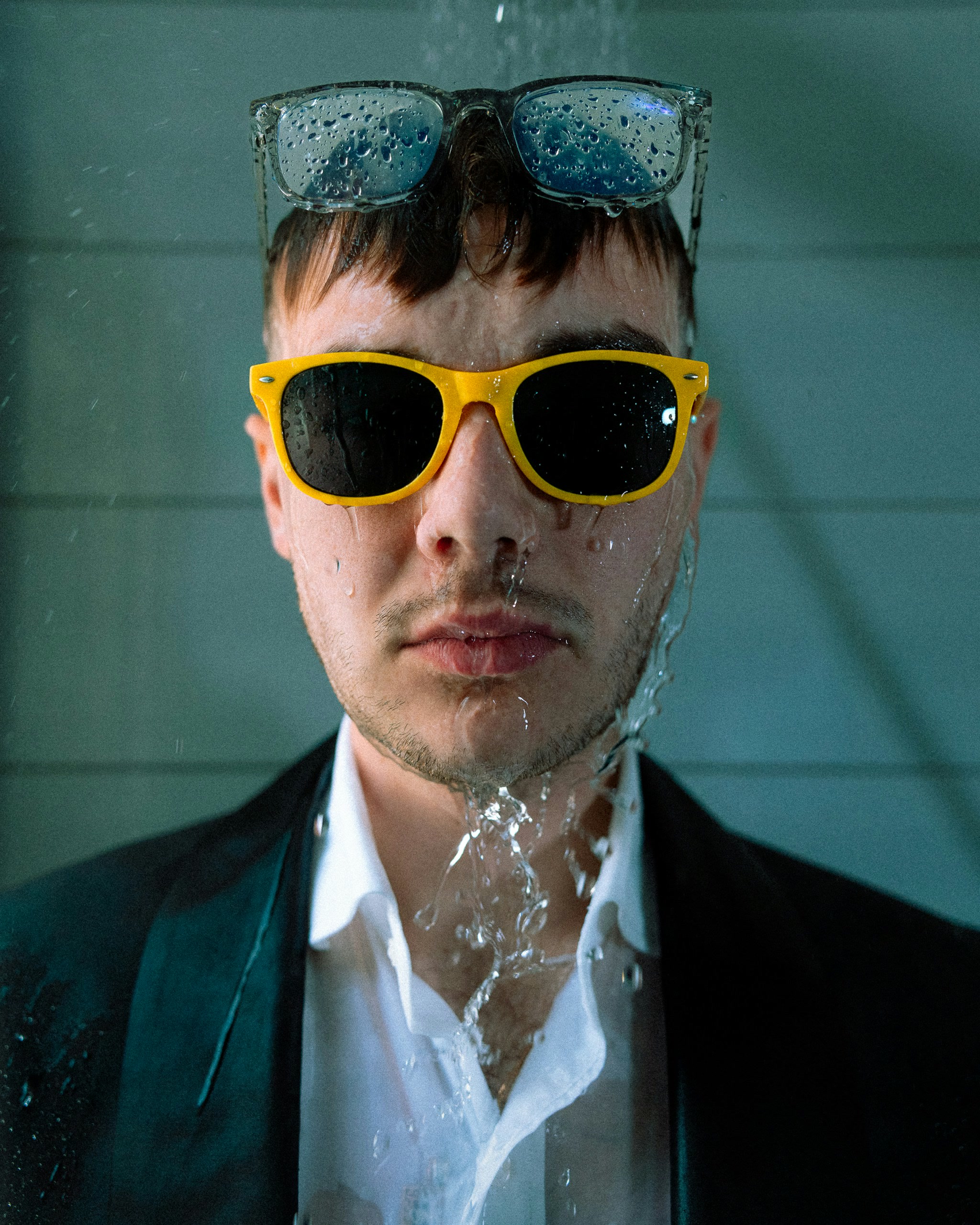
Prompt
“Starting from the static image, dramatically increase the water flow pouring over the man's face and chest. The water streams should become more turbulent, splashing slightly off the yellow sunglasses. The camera should execute a slow, subtle push-in toward the man's eyes, maintaining sharp focus on the water droplets hitting his skin. The atmosphere remains intensely cool and saturated.”
ABOUT
Turn any photograph into a captivating video with our advanced AI technology. Simply upload your image, describe how you want it to move, and watch as AI brings your vision to life. Perfect for creating engaging content from travel photos, portraits, product shots, and more. Our state-of-the-art video generation models ensure smooth, natural motion that looks professionally produced.
In short
GenLive turns a single image into an AI video on iPhone. Import a photo, describe the motion or camera move you want, preview the result, and save it as a video or Live Photo.
How to turn a photo into video
1
Import one image
Start from a portrait, product shot, travel photo, or any still image that needs movement.
2
Describe the motion
Tell GenLive about camera push-ins, water flow, fabric movement, expression changes, or cinematic motion.
3
Export and share
Preview the clip, then save it as a video for posting or keep a Live Photo version for iPhone-native use.
Common reasons people use photo to video
Social posts and reels
Turn one still image into a short moving clip for TikTok, Instagram, Shorts, or story content.
Product and creative shots
Add motion to lighting, fabric, smoke, water, or camera angle to make a static asset feel more premium.
Why this workflow converts well
Built for image-first creation
You can start with one frame and still create motion, camera energy, and atmosphere from a prompt.
Video or Live Photo output
Keep a posting-friendly video version or save the same creation in a format that fits the iPhone photo experience.
Prompt-led motion control
You can ask for cinematic camera moves, subtle expression changes, or physical motion without editing a timeline.
AI photo to video FAQ
Create your first AI photo video on iPhone
Import one image, guide the motion with a prompt, and save a shareable result in GenLive.
Related use cases
- Revive Old PhotosBring vintage and archival photos back to life with natural motion
- Animated GreetingsCreate personalized animated messages for friends and family
- Social Media ContentStand out with engaging videos for Instagram, TikTok, and more
- Preserve MemoriesTurn precious family moments into living memories
- Retro Anime AnimationTurn your art into 80s and 90s style hand-drawn anime motion
- Animated Pet PortraitsGive a favorite pet photo a blink, an ear twitch, and a little personality.