Live Photo Maker for iPhone
Turn one still image into a Live Photo with subtle AI motion that you can save back to your iPhone.
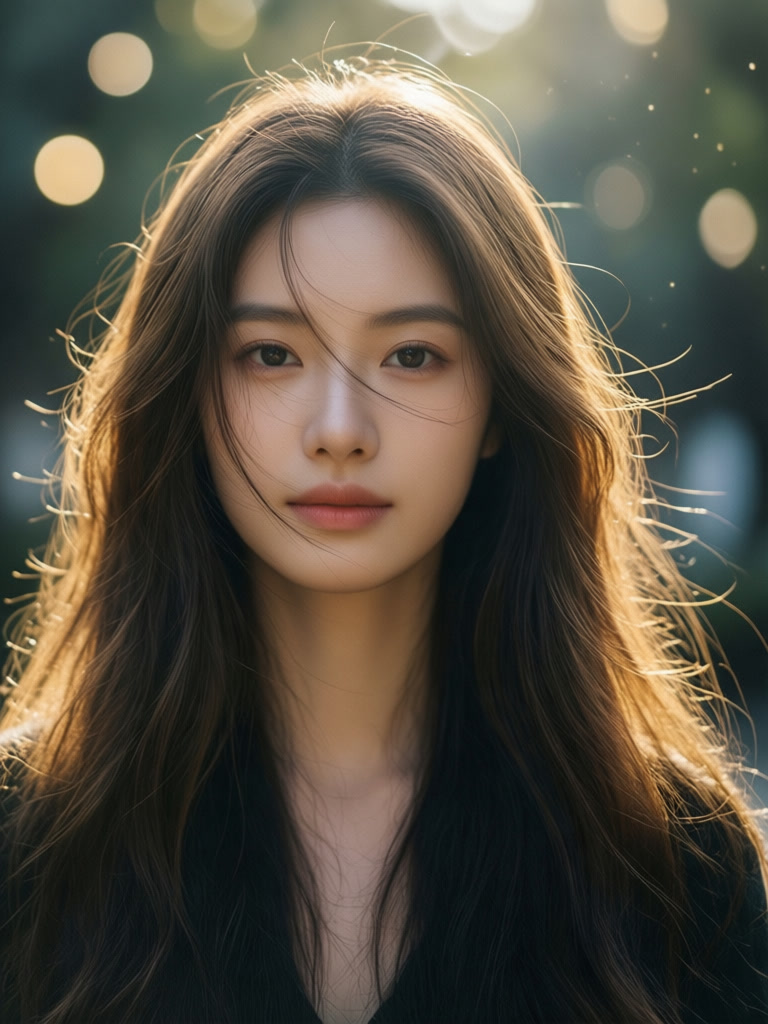
Prompt
“Subtle breathing motion, gentle hair movement, soft bokeh lights twinkling in the background, natural and delicate animation”
ABOUT
Transform your favorite photos into mesmerizing Live Photos that come alive with a touch. Using AI-powered animation, we add subtle, natural movements to your images—flowing hair, twinkling lights, gentle waves, or softly moving clouds. Set these as your iPhone wallpaper or share magical moments with friends and family. Compatible with iOS Live Photo format for seamless integration with your photo library.
In short
GenLive helps you make a Live Photo from a single image on iPhone. Upload a photo, add gentle motion, preview the result, and save it as a Live Photo or video.
How to make a Live Photo
1
Choose a still image
Pick a portrait, pet photo, travel shot, or any image that would benefit from light motion.
2
Add gentle motion
Use a prompt for breathing, hair movement, light flicker, water flow, or another subtle effect.
3
Save for iPhone
Preview the animation, then export it as a Live Photo or video and keep it in your library.
Great uses for this workflow
Portraits and selfies
Add breathing, blinking, or gentle hair movement to make a portrait feel alive without overdoing it.
Travel and memory photos
Bring clouds, water, lights, or background elements to life while keeping the original scene recognizable.
What you can expect
Subtle motion instead of over-animation
The best Live Photos usually rely on small details like breathing, blinking, or light movement.
Save as Live Photo or video
GenLive lets you preview the result and keep the format that fits your iPhone workflow best.
Built for one-photo creation
You do not need a video timeline or complex editing stack to make a photo feel alive on iPhone.
Live Photo maker FAQ
Make your first Live Photo on iPhone
Start with one photo, add subtle motion, and save a Live Photo or video in GenLive.
Related use cases
- Revive Old PhotosBring vintage and archival photos back to life with natural motion
- Preserve MemoriesTurn precious family moments into living memories
- Animated Pet PortraitsGive a favorite pet photo a blink, an ear twitch, and a little personality.
- Vintage Camcorder VideoTurn a moment into a 90s Hi8 home video with grain and a date stamp