AI Image to Image on iPhone
Upload a photo, describe a new style or scene, and get a reimagined image that keeps your original composition.
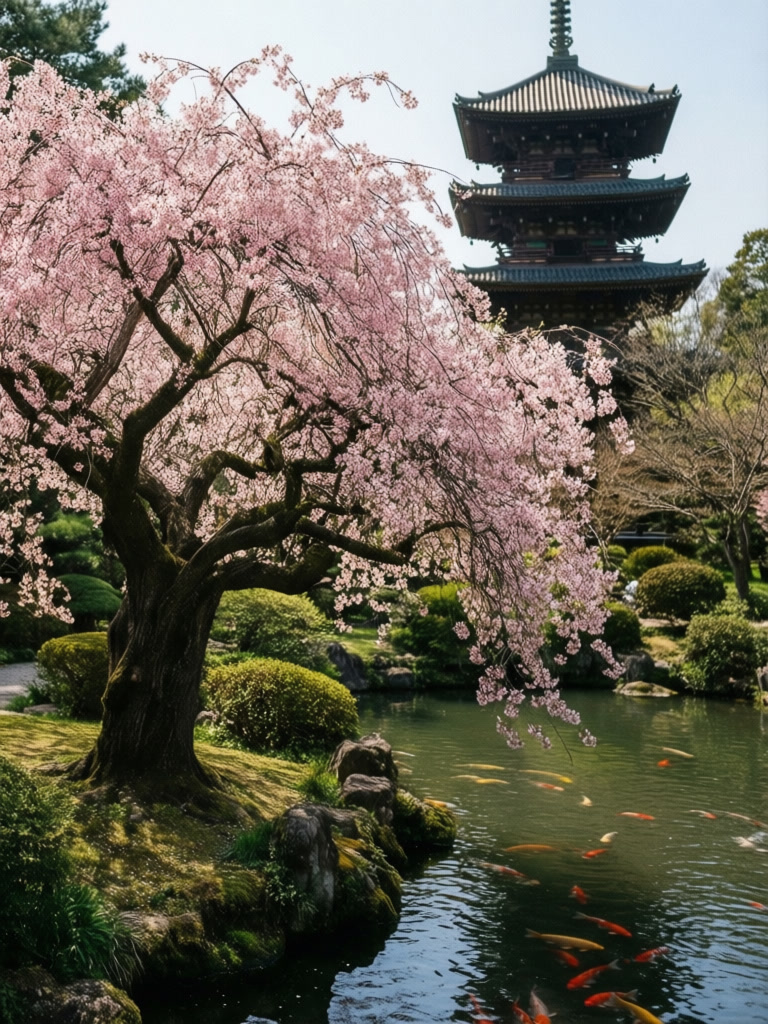
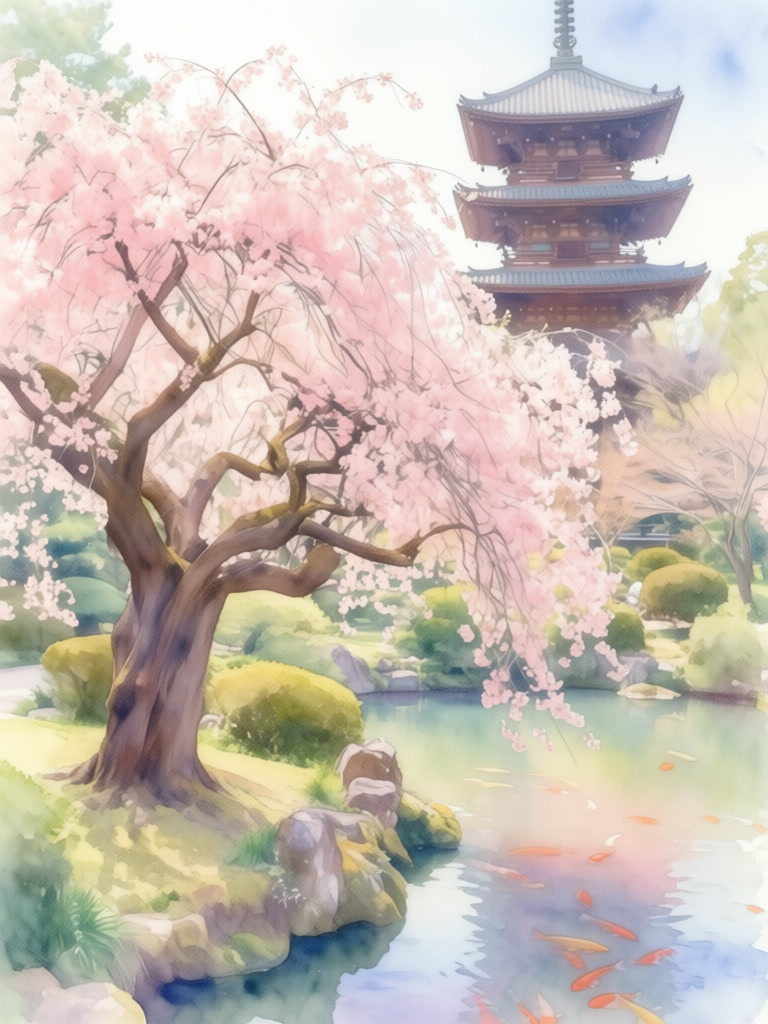
Prompt
“Convert to watercolor painting style, soft pastel colors, artistic interpretation, traditional watercolor technique, gentle brush strokes”
ABOUT
Reimagine your photos in entirely new styles with our image-to-image AI transformation. Upload any image and describe how you'd like it transformed—convert photos to paintings, change artistic styles, add new elements, or completely reimagine the scene. Our AI understands both your image and your text description to create seamless transformations that preserve the essence of your original while adding your creative vision. Available on iOS for creative transformations anywhere.
In short
GenLive turns one photo into a new image on iPhone. Pick a photo, write what should change (style, setting, lighting, or mood), choose an image model such as Nano Banana Pro, GPT Image 2, Flux 2, or Seedream, and save the result to your library.
How to transform an image with AI
1
Pick a source photo
Portraits, pets, rooms, products, and travel shots all work. A clear subject gives the model more to keep.
2
Describe the transformation
Name a style (watercolor, anime, 3D render, oil painting), a new setting, or a lighting change. Up to four variations can come from one prompt.
3
Save, refine, or animate
Keep the best result, run another pass with a different model, or turn the new image into a video or Live Photo.
Popular image to image ideas
Photo to art style
Turn a selfie or family photo into watercolor, anime, comic, or oil painting while faces and poses stay recognizable.
New scene, same subject
Move a pet, product, or person into a beach, studio, snowy street, or fantasy landscape without reshooting.
Profile and social visuals
Create a consistent look for avatars, thumbnails, and posts from photos you already have.
Why use GenLive for image to image
Several image models in one app
Compare Nano Banana Pro, GPT Image 2 Edit, Qwen Image Edit, Flux 2, Grok Imagine Edit, and Seedream on the same photo instead of switching apps.
Made for iPhone
Pick from your photo library and save results straight back to it. No desktop software or file transfers.
From still to motion
A transformed image can go straight into photo to video or Live Photo creation in the same app.
Image to image FAQ
Reimagine your first photo on iPhone
Pick a photo, describe the new look, and compare results from several image models in GenLive.
Related use cases
- Social Media ContentStand out with engaging videos for Instagram, TikTok, and more
- Creative Art ProjectsGenerate unique visuals for your creative endeavors
- Profile PicturesCreate unique animated profile pictures for social media
- Retro Anime AnimationTurn your art into 80s and 90s style hand-drawn anime motion
More AI features
- Create Live PhotosTurn your still images into beautiful Live Photos on iPhone
- AI Photo to VideoTransform your static photos into stunning videos with AI on iPhone
- AI Image GeneratorCreate unique images from simple text prompts on iPhone
- AI Image EditorEdit and enhance images using natural language on iPhone